
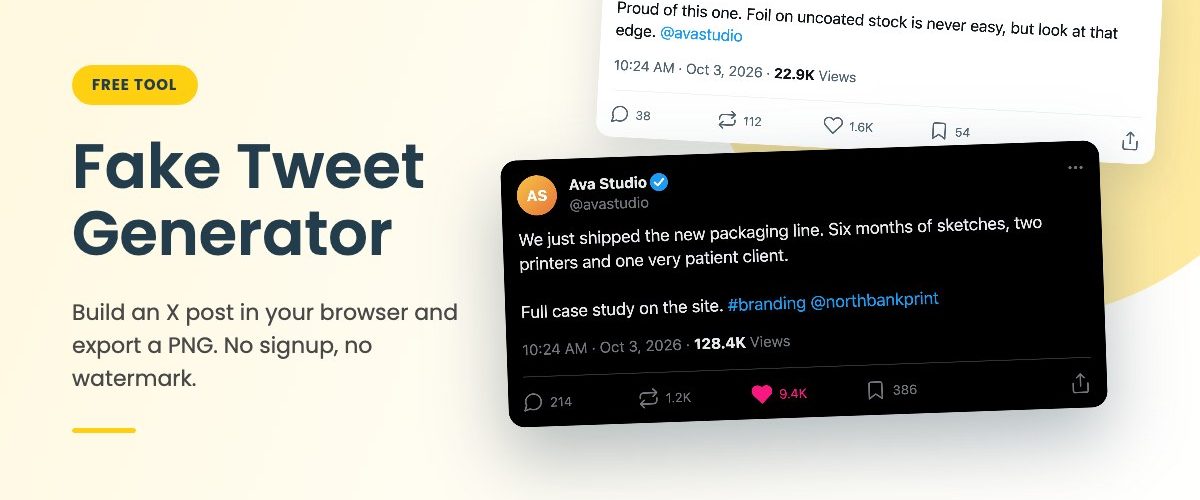
Make a fake tweet that looks like the real thing, right here in the browser. Name, handle, badge, post text, an attached image, the stats under it, and all three X themes. Export a PNG in under a minute. No signup, nothing uploaded, no watermark.
Click the avatar to add a profile picture. Click the post itself, or drag a file onto it, to attach an image.
A real export
A clean PNG at 1x, 2x or 3x. No watermark in the corner and no paywall on the download button.
Private by design
Your text and images are drawn by your own browser. Nothing is sent to a server, and closing the tab wipes it.
All three themes
Light, dim and true black dark mode. A post in the wrong theme is the first thing that gives a mockup away.
How to use the fake tweet generator
Four steps. Most people are done in less than a minute.
One tip if realism matters. Keep the numbers in proportion. 128K views and 9K likes reads as a post that did well. 2K views and 40K likes can’t happen, and viewers sense it even if they never do the maths.
What you can edit
- Display name and @handle
- Verified badge in blue, gold or gray, or none at all
- Profile picture, or auto initials on a warm gradient
- Post text with real word wrap and kept line breaks
- Blue @mentions, #hashtags and links
- One attached image, cropped the way X crops it
- Time, date and view count
- Replies, reposts, likes and bookmarks
- Liked state with the filled pink heart
- Light, dim and dark theme, rounded or square corners
Untick Rounded corners when the screenshot is going inside a phone or browser frame. The square edge sits flush against the screen.
Fake tweet template and X post maker
Some people search for a fake tweet template, others for a tweet maker or an X post generator. It is the same job, and a static template is the slow way to do it. Every time you want a different name or a longer post you are back in Photoshop, nudging text boxes and redrawing the like count.
Here the template rebuilds itself. Long text wraps onto the next line instead of running off the card. An attached image pushes the stats down. Switch the theme and every colour changes with it.
If all you need is a blank tweet template for a wireframe, clear the text, the counts and the image. You get an empty post card that holds the layout and nothing else.
What people use a fake tweet for
Pitch decks, mostly. “Imagine people posting about our launch like this” lands better as a screenshot than as a paragraph of hopeful copy. Social media managers use it to show a client a post before it goes live. Some people simply want to see how their own tweet will look in dark mode before they press the button.
It turns up in less obvious places too. Film and TV props, where a character’s phone needs to show a post on screen. Book promotion built around a fictional character’s account. UX case studies that need a realistic feed without real people in it. Comedy writers setting up a punchline.
And classrooms. Media-literacy teachers show how easy a convincing screenshot is to make, which teaches more than any warning about fake news. That use is also why the tool ships with an obviously invented default account and no X logo anywhere. It is built for showing, not for fooling anyone.
FAQ
Is this fake tweet generator free?
Yes. No account, no email, no watermark and no limit on how many images you export.
Does anything get uploaded?
No. Your text, your avatar and your attached image are drawn on a canvas in your own browser. Nothing is sent to us or anyone else.
Does it look like the current X layout?
It follows the current single-post view: name and handle on top, larger post text, the time and views line, then the action row. It is deliberately not a pixel copy, and it has no X or Twitter logo.
Can I write more than 280 characters?
Yes. The counter turns red after 280 but lets you keep going, since paid X accounts can post longer text.
Can I use the image commercially?
The generated layout, yes, in decks, case studies, ads for your own product and so on. Any photo you add keeps its own licence. And please don’t put words in the mouth of a real person or brand.
Does it work on a phone?
It does. The preview gets small on a narrow screen, so typing a long post is easier on a laptop.
Taking it further
The generator gives you a flat PNG of the post. That is enough for a slide or a doc. If you want the post on an actual phone screen, held in a hand or lying on a desk, you need a photorealistic device mockup.
Export the tweet with Rounded corners off and drop it into the screen of the free iPhone 18 Pro mockup. It is a layered 6K file. The screen is a smart object, so the lighting and reflections wrap around your post on their own.
Smart objects in layered PSD files open in Adobe Photoshop.
More free tools and phone mockups
Not affiliated with, endorsed by, sponsored by or connected to X Corp. or Twitter. This tool produces mock images for design, presentation, portfolio, prop and educational use. Do not use it to impersonate a real person or organisation, or to pass a mock post off as a real one.
