


Apple’s first foldable goes on pre-order on 16 October, so app teams need iPhone Duo screenshots this week. This page collects nine free iPhone Duo mockups: open, half-open, folded, standing in tent mode and held in hand. Every free iPhone Duo mockup here is a PSD or an online editor you can drop your screen into in a few minutes, and all of them are free for commercial work.
I’d start with the editor below. It’s the only one that runs in the browser.
Free iPhone Duo mockups: which one fits your shot
The Duo has two screens, and that changes the brief. The 7.6-inch inner display opens like a small book. The 5.4-inch outer one is what people see on a closed phone. Most of these files show one or the other, so pick by the screen you actually designed for.
1. iPhone Duo open in two hands (online editor, LS.Graphics)
This is the file the Download button below opens. The phone is fully unfolded and held in both hands, so the whole inner display is on show. You upload your screen in the browser, pick a background colour if you want one, and export.
- Renders at up to 6K
- PNG, a layered PSD (Photoshop, Photopea, Affinity) or a layered SVG (Figma, Sketch)
- Nothing to install
It’s the fastest way to get a launch graphic out. If you live in Figma, take the SVG export.
2. Folded iPhone Duo, 6K PSD (LS.Graphics)

The partly folded pose: 6000 × 4500 px, with two separate smart objects so each half of the screen takes its own artwork. Full details on our folded iPhone Duo mockup page.
The next six all come from Pixeden, which released a whole free iPhone Duo series. They’re big files, 100 to 300 MB each, so give the download a minute.
3. Foldable iPhone Duo Opening Up (Pixeden)
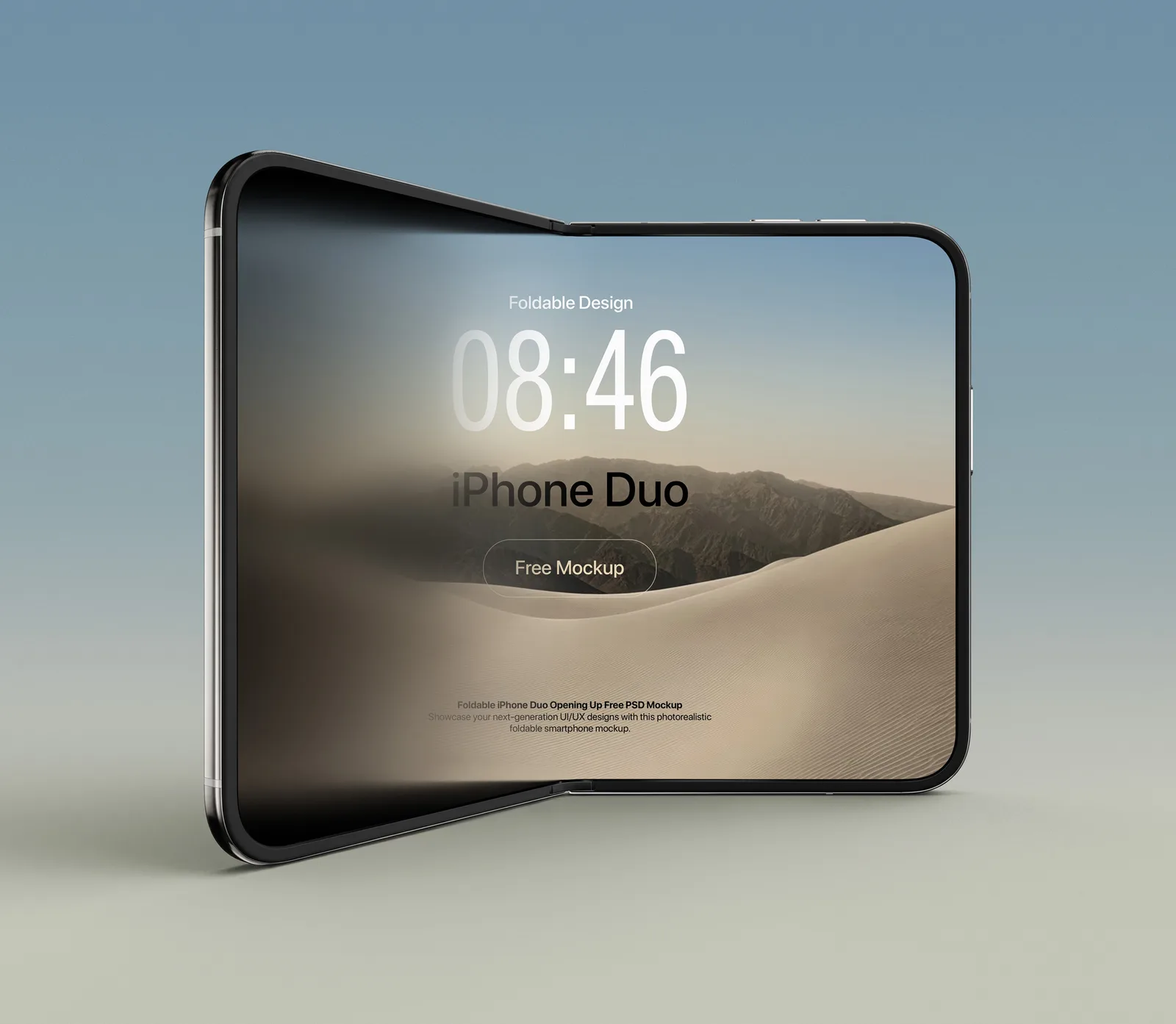
The phone stands semi-folded, caught partway open. A half-open angle reads as “this folds” at a glance, which a flat front view never does. That makes it the one I’d use for a launch announcement. 271 MB PSD.
Foldable iPhone Duo Opening Up on Pixeden
4. iPhone Duo Restful Pose (Pixeden)
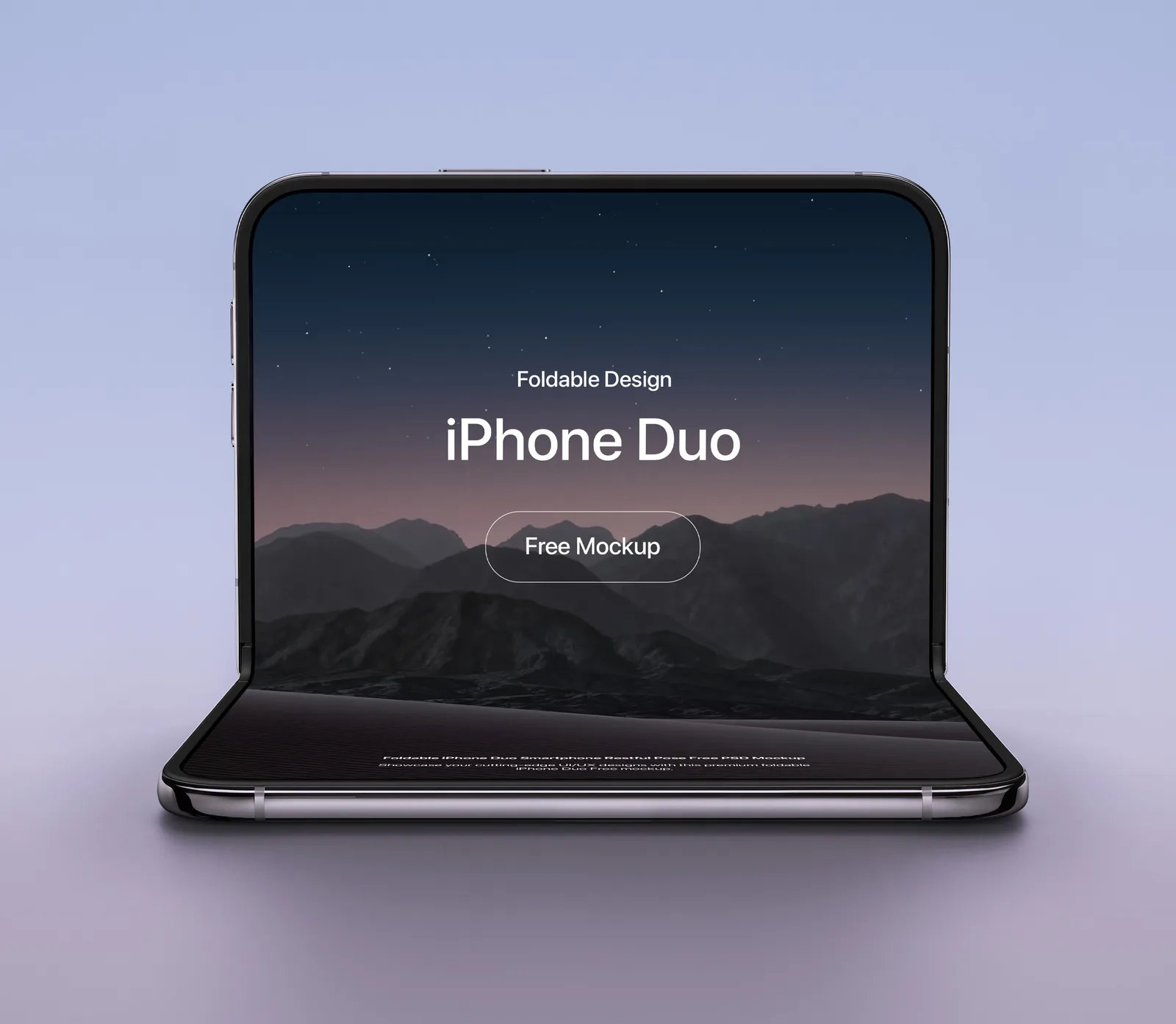
Half-folded and resting like a tiny laptop on a clean background. The screen is a smart object, and you can change the background colour to match your brand. Good for a calm, minimal product shot. 219 MB PSD.
iPhone Duo Restful Pose mockup on Pixeden
5. Foldable iPhone Duo: Tent Mode (Pixeden)
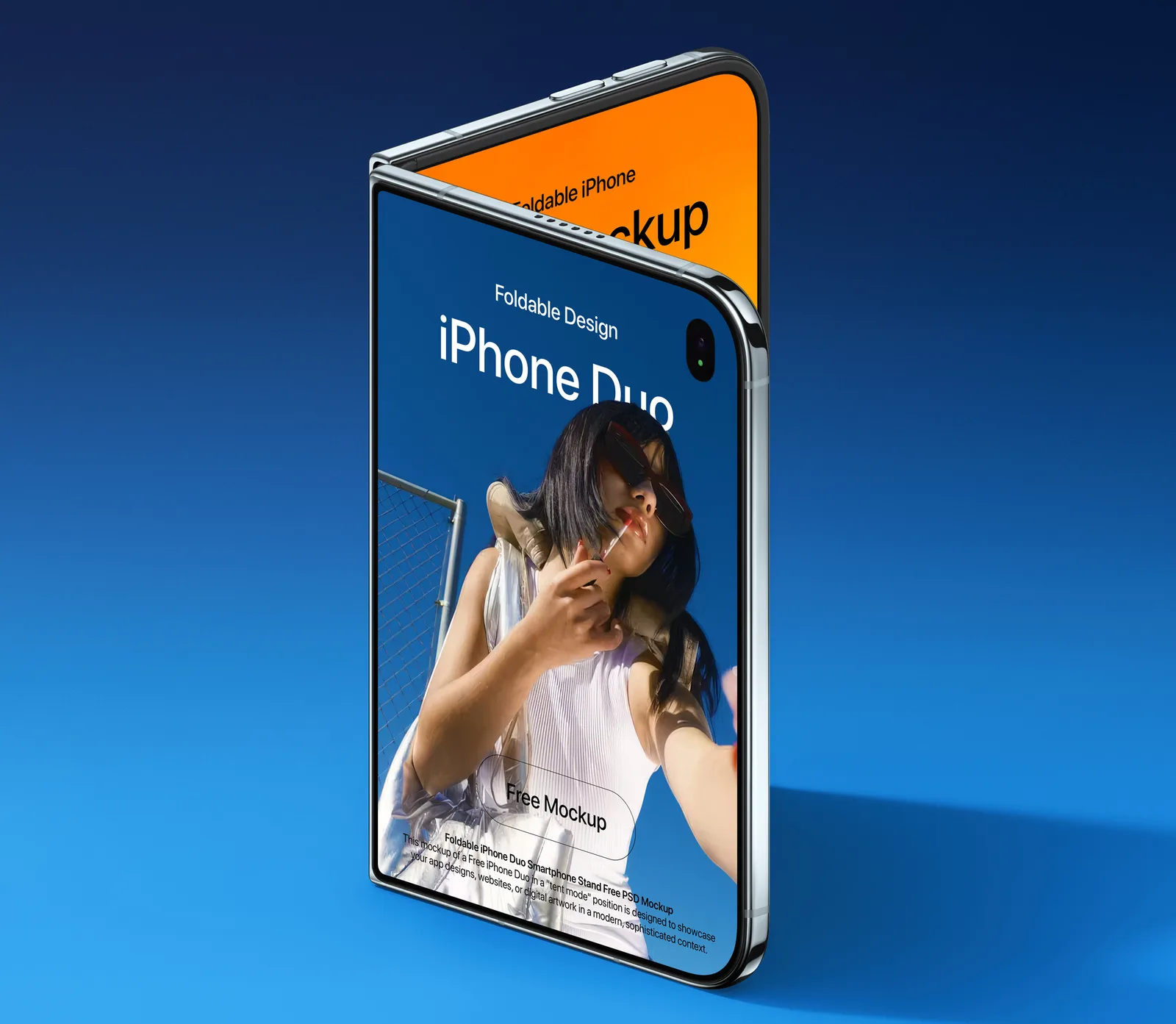
The Duo stands upright in a tent position, so both halves of the inner screen face the camera at an angle. Pixeden pitches it for dual-screen layouts, and that’s exactly where it works: one app view on each side. 250 MB PSD.
Foldable iPhone Duo Tent Mode mockup on Pixeden
6. iPhone Duo Smartphone Stand (Pixeden)
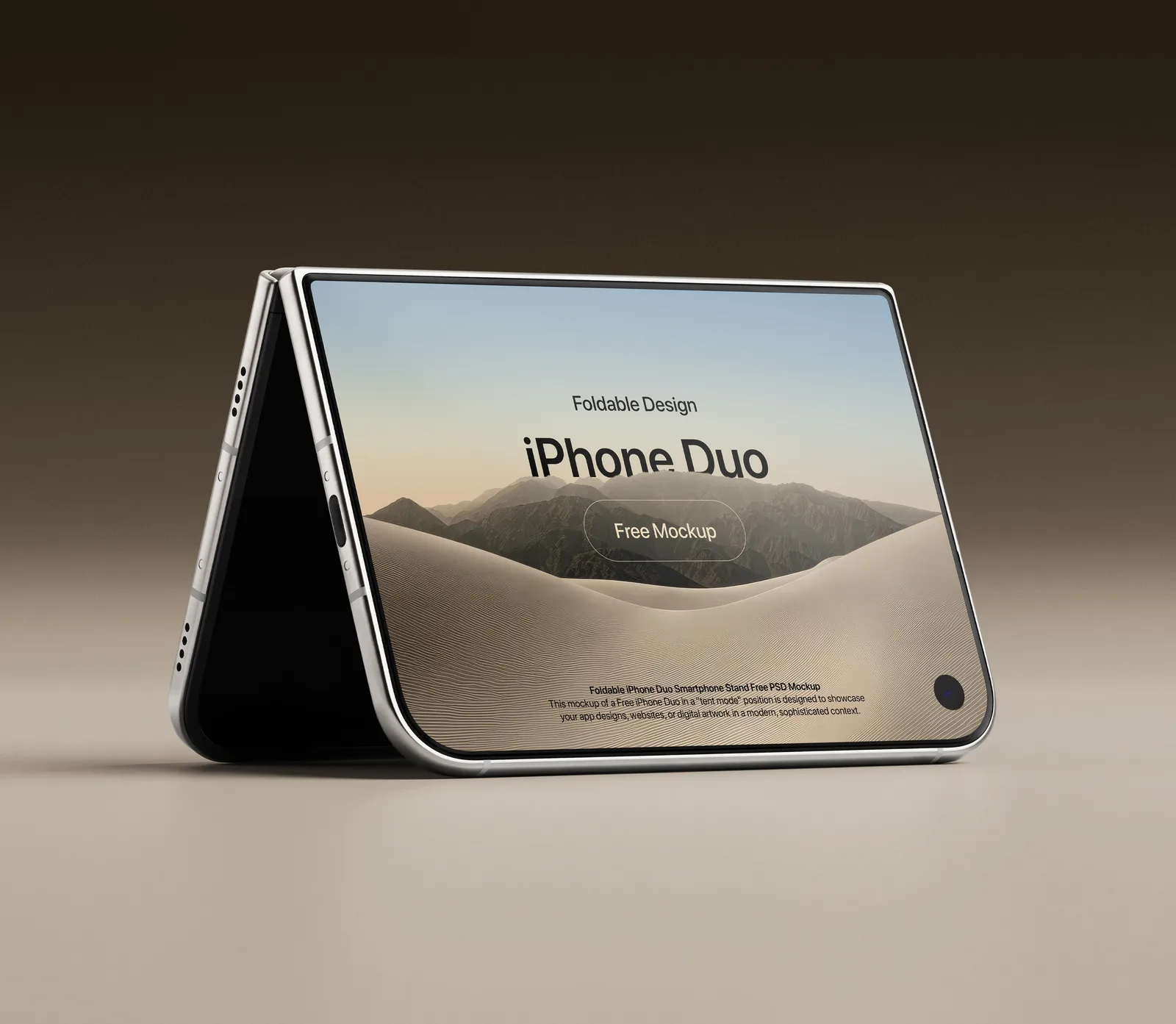
Another tent-mode shot, this time on a warm neutral surface. It has two independent smart objects, so you can show a different screen on each side or run one design across both. My pick for a desk-scene hero or anything showing video, a timer or a recipe app: the things people actually prop a foldable up for. 317 MB PSD.
iPhone Duo Smartphone Stand mockup on Pixeden
7. iPhone Duo Dual Screen Display (Pixeden)
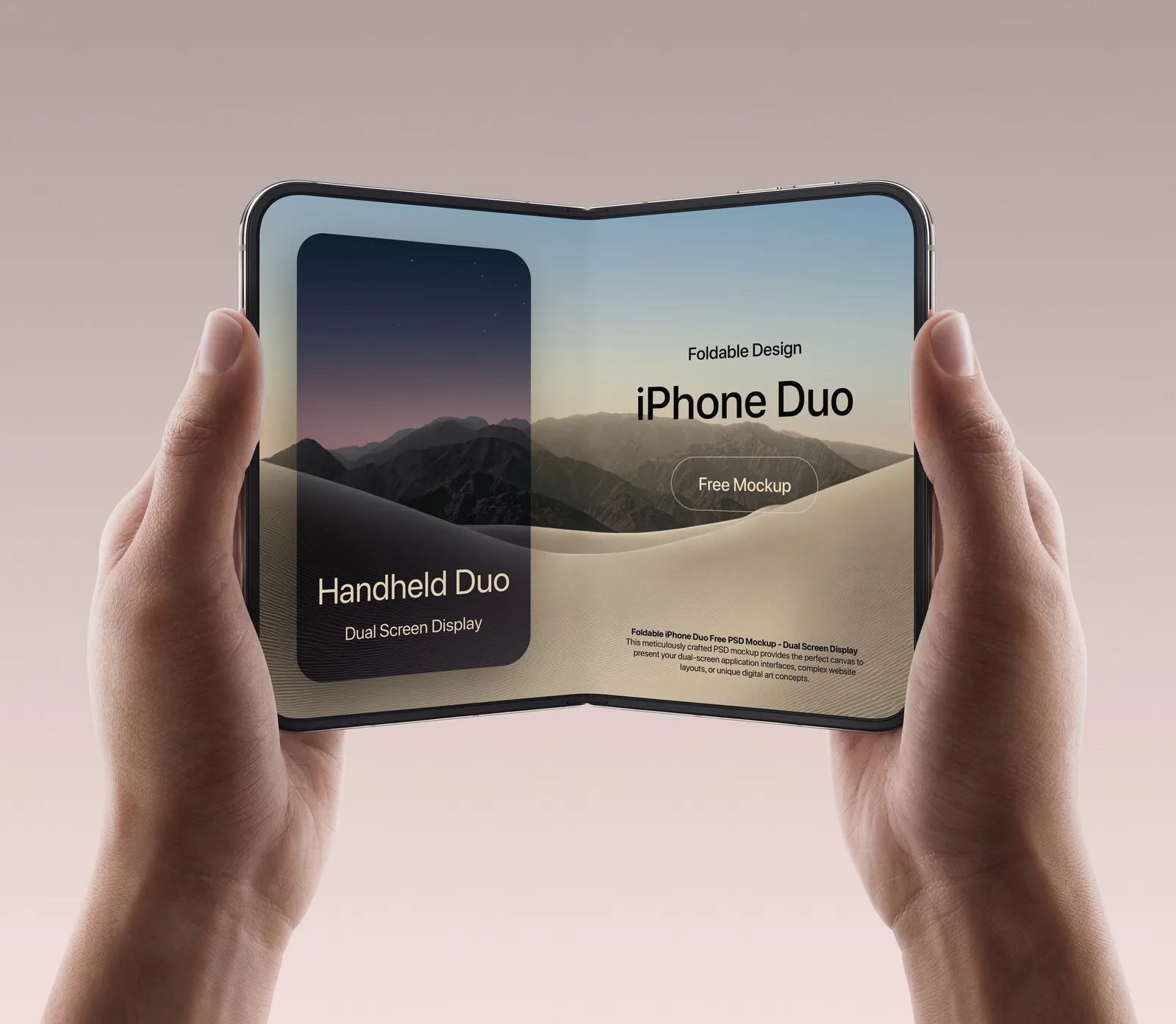
Fully open and held in two hands, built for multi-panel content: a split app view, a long web layout, a piece of digital art across the whole inner screen. 107 MB PSD.
iPhone Duo Dual Screen Display mockup on Pixeden
8. Hand-held iPhone Duo (Pixeden)
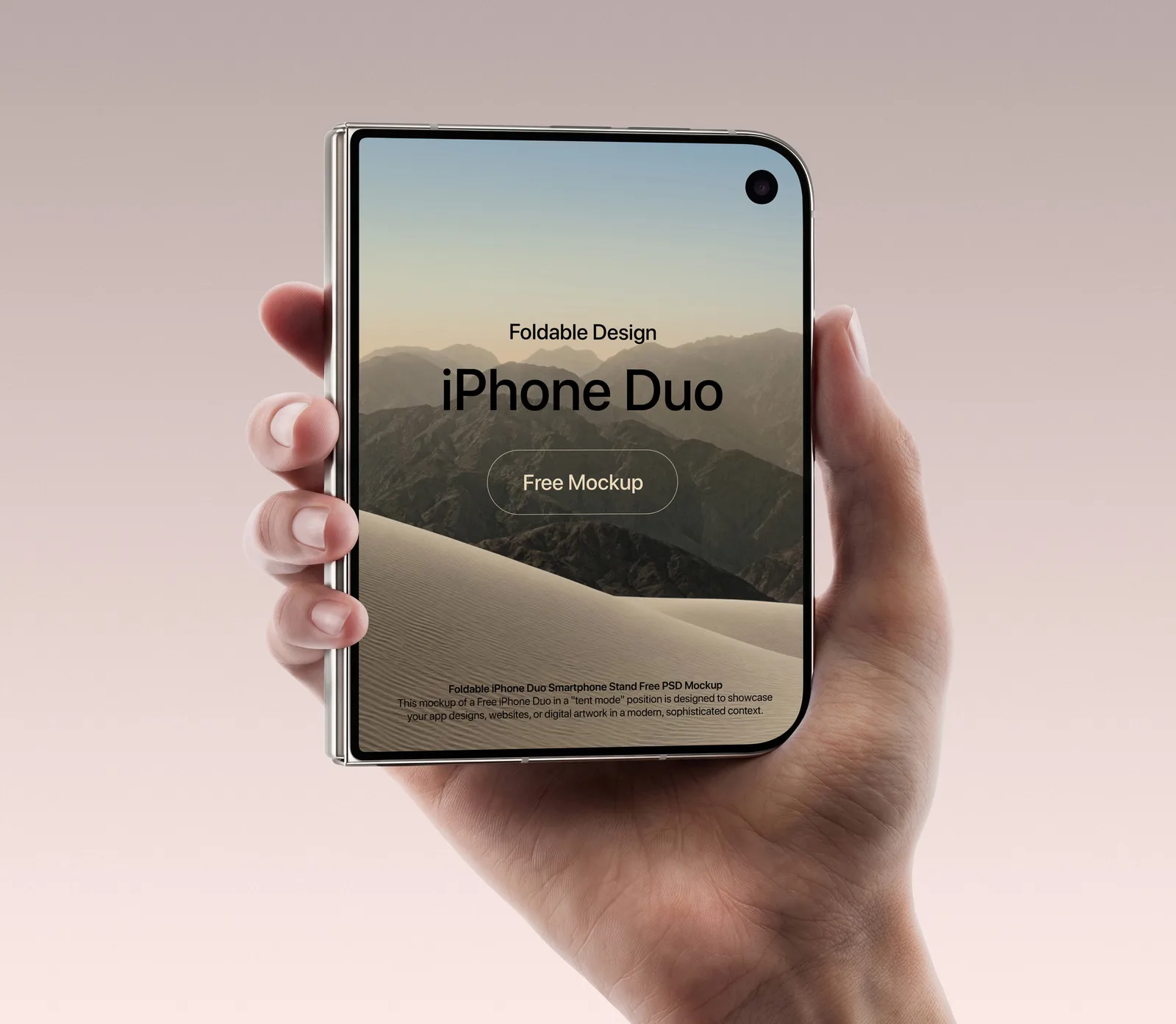
Closed and held in one hand, showing the outer screen. 127 MB PSD.
Use this one for your cover-screen layout. Don’t use it for a shrunken copy of the inner design. If your app has no outer-screen version yet, this mockup will show it fast.
Hand-held iPhone Duo mockup on Pixeden
9. iPhone Duo Mockup PSD, Landscape/Portrait (Good Mockups)
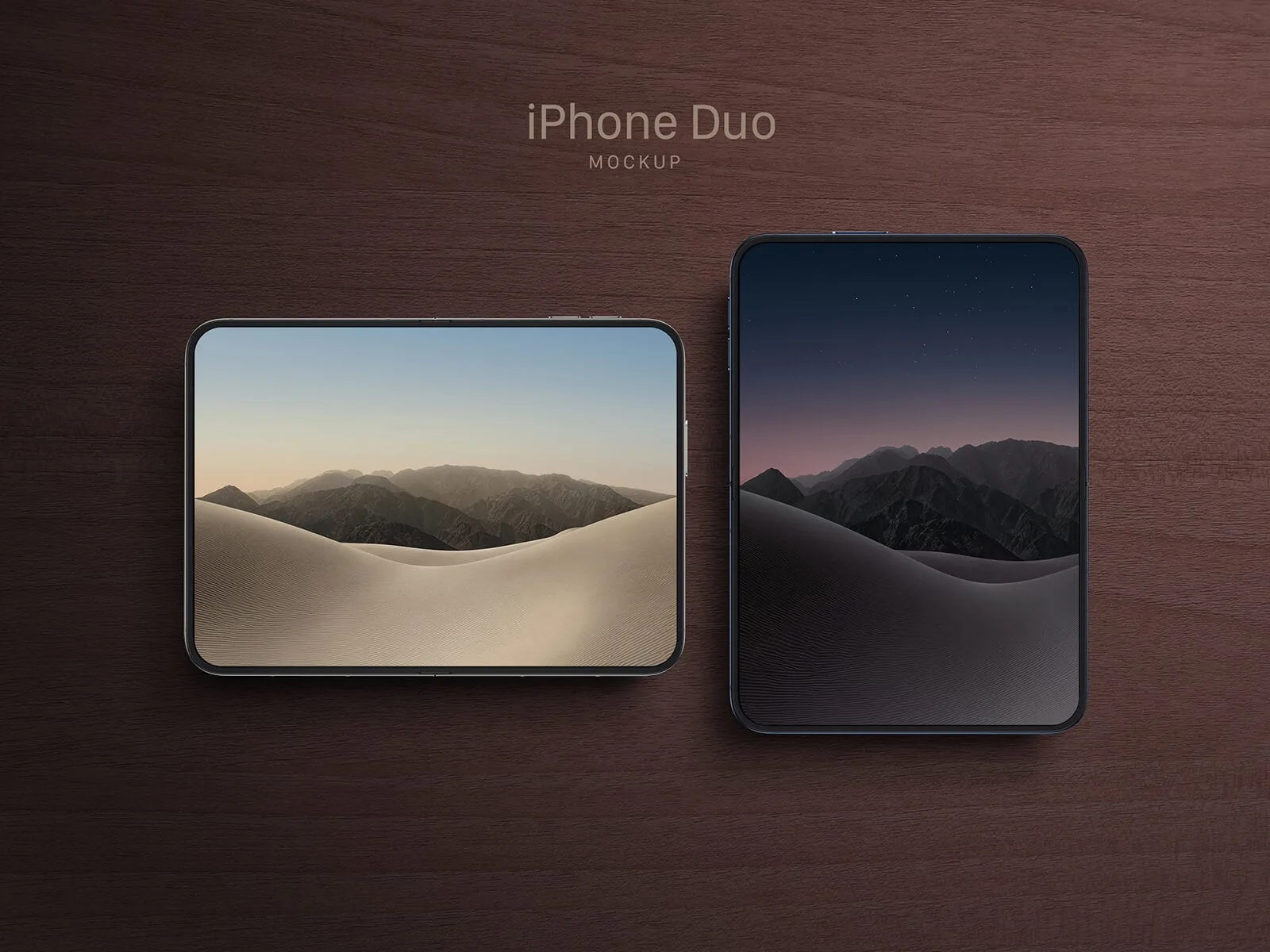
A clean, straight-on file: 3000 × 2000 px artwork, a 2670 × 1878 px screen area, and smart layers for your app or web design. It needs Photoshop CS5 or later. Good Mockups has more poses in the same set on their site (tent, seated, standing, hand-held).
For App Store-style presentations or a case-study grid, this is the one. No hands, no props, nothing to distract from the UI.
Free iPhone Duo Mockup PSD on Good Mockups
How to put your design on an iPhone Duo mockup PSD
Open the file in Adobe Photoshop, find the smart object layer for the screen, double-click it, paste your design, save, and close. The mockup updates with the device’s lighting on top.
Three things I’d check before you export:
- Export the screen at the smart object’s size. Use the exact canvas the smart object opens with, whatever your Figma frame is. Scaling inside the mockup is where text goes soft.
- Keep the fold line clear on open shots. The inner display folds down the middle. A headline or a button sitting right on the centre line looks wrong in an open mockup, even when the file shows no crease.
- Design the two screens as two designs. The outer screen is narrower than the inner one. Squeezing the big layout onto it will be the first thing a client notices.
Great for
Launch-week “now on iPhone Duo” posts, obviously. Pre-orders open on 16 October and sales start on 23 October, so that window is short. The open-in-hands shots suit a social carousel. The straight-on Good Mockups file suits a landing page or a pitch deck where the UI has to be readable. Tent mode makes a nice hero for a product page. And if you’re a UI designer with nothing on the Duo yet, a two-screen concept for an app you already use is a strong portfolio piece right now: very few people have one.
More free iPhone mockups you’ll like
- iPhone 18 Pro mockup on a metal beam: the same launch season, isolated and minimal, in PSD and Figma
- iPhone 18 Pro mockup in a dark stone scene: a moody 6K scene from LS.Graphics
- Instagram profile mockup generator: build a realistic profile screen to drop into any of the phones above
Mockups by LS.Graphics, Pixeden and Good Mockups. Full downloads are on their pages, linked under each file.
