
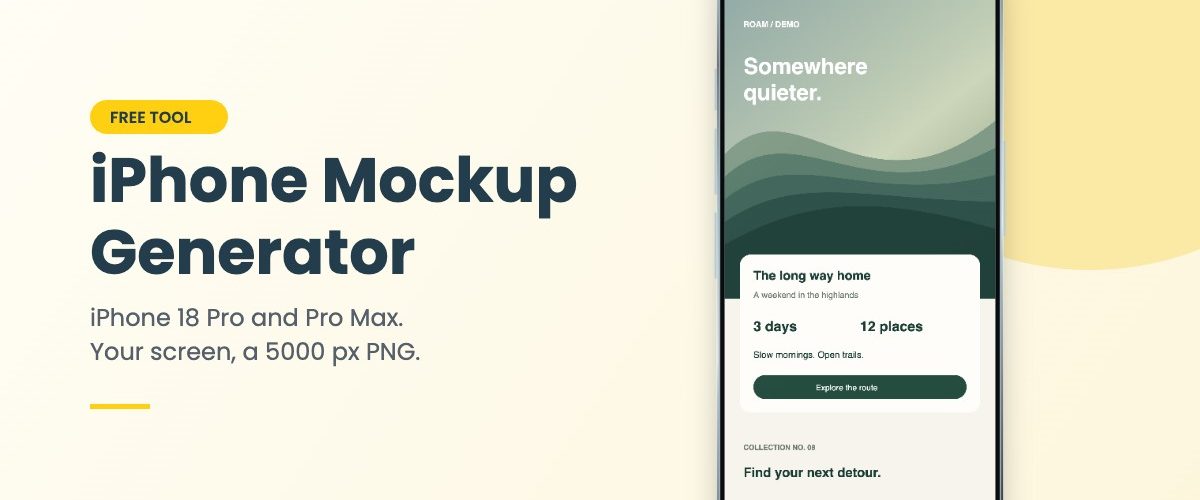
Put your app or website on an iPhone 18 Pro or Pro Max right here in the browser. Drop in a screenshot, drag it into place, pick a finish and a background, and download a 5000 px image. No Photoshop, no signup, nothing uploaded.
Paste a screenshot with Ctrl/Cmd+V or drop it straight onto the phone. Drag the screen to move your image around.
Big, sharp files
The phone is drawn as vector shapes at export size, so a 5000 × 3750 PNG has crisp edges, not an upscaled photo.
Private by design
Your screenshot never leaves your computer. The browser draws the mockup, and closing the tab wipes it.
Exact screen sizes
The screen area matches Apple’s resolution for each model, so a full-size screenshot fits edge to edge.
How to use the iPhone mockup generator
Four steps, and the first one is optional.
A small thing that makes a big difference: don’t leave the status bar at 9:41 with full battery on every shot. It’s the default everyone uses, and a real time looks less staged.
What you can edit
- iPhone 18 Pro or iPhone 18 Pro Max
- Black, Silver, Glacier or Burgundy finish
- Your own screen image, PNG, JPG or WebP
- Fill or fit, zoom from 50% to 300%
- Drag-to-position crop on the preview
- Six background colours or any custom colour
- Transparent background for PNG
- Soft, strong or no shadow
- Glass reflection on or off
- 4:3, 1:1, 4:5 or 16:9 frame
Going on a website? Tick Transparent background and export a PNG. The phone drops onto any section colour without a box around it.
iPhone 18 Pro mockup PNG: screen sizes
If you’re designing the screen yourself, start at the right size. These are Apple’s own figures, and the generator uses the same numbers for its screen area.
| Model | Display | Screen size in px |
|---|---|---|
| iPhone 18 Pro | 6.3 inch | 1206 × 2622 |
| iPhone 18 Pro Max | 6.9 inch | 1320 × 2868 |
Not sure where the Dynamic Island sits? Use Download blank template in the generator. It gives you an empty PNG at the exact size with the island marked, so nothing important ends up underneath it.
What people use it for
App Store screenshots and launch posts, mostly. A screen on a phone reads as “this is a real app”, while a flat screenshot reads as a design file. Freelancers use the same trick for portfolio thumbnails, and it’s quicker here than opening a PSD.
Then there’s the stuff nobody plans for. A client wants to see the landing page “on a phone” before tomorrow’s call. A pitch deck needs one slide with the product in hand. Somebody needs a quick visual for a Product Hunt gallery. The transparent PNG covers most of those in a couple of minutes.
FAQ
Is this iPhone mockup generator free?
Yes. No account, no email, no watermark, and you can export as many images as you like.
Does my screenshot get uploaded?
No. The image is read and drawn by your own browser. Nothing is sent to our server or anyone else’s.
How big is the downloaded image?
5000 × 3750 px at 4:3, 4000 × 4000 at 1:1, 3200 × 4000 at 4:5 and 5120 × 2880 at 16:9. Safari on iPhone and iPad can’t hold a canvas that large, so there the 4:3 export comes out at 4096 × 3072 instead.
Can I make a mockup of the foldable iPhone Duo?
Yes, it has its own page: the iPhone Duo mockup generator shows the folded phone, the open one, or both side by side.
Can I use the mockups commercially?
The generated image, yes: client work, ads for your own product, App Store pages, portfolios. Your screen design keeps its own rights. The tool isn’t affiliated with Apple, and the device outline is an illustration, not an official Apple asset.
Does it work on a phone?
It does. On a phone the preview sits on top and the settings scroll underneath it.
Taking it further
The generator gives you a clean studio shot. When you want a scene instead, with a stone surface, a hand or hard light, a layered PSD does it better. The free iPhone 18 Pro mockup in a dark stone scene is a 6K file, and the iPhone 18 Pro on a metal beam comes in PSD and Figma. Drop the same screenshot into either one.
Need the phone in someone’s hand? Placeit has a free photo scene with a hand holding an iPhone above a desk: open the in-hand iPhone scene.
The screens in layered PSD files are smart objects, and they open in Adobe Photoshop.
More free tools and phone mockups
Independent tool, not affiliated with or endorsed by Apple. iPhone is a trademark of Apple Inc. The device outline and finish colours are illustrations. Screen sizes are from Apple’s published specifications.
