
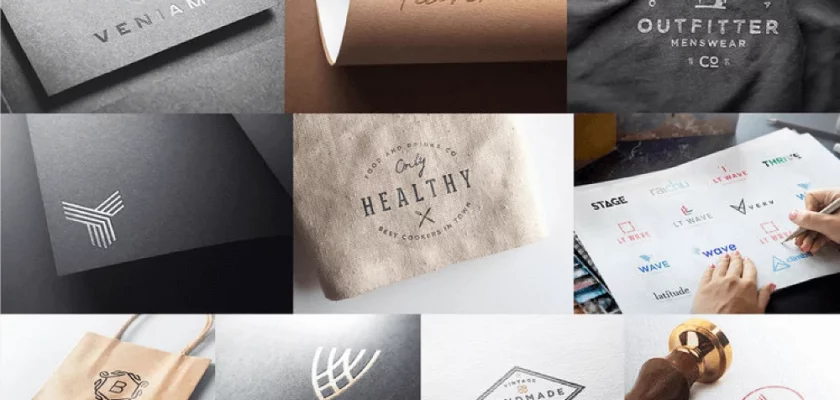

This free logo mockup by Asylab gives you an editable PSD sample from the creator’s 30 Logo Mockups Brand collection. Use it to add an application image to a client presentation, explore a branding concept, or illustrate a portfolio case study.
The collection previews show logos applied to paper, fabric, packaging, and other surfaces. These images showcase the full collection; the free download includes a sample from the pack.
What’s included in this free logo mockup
Pixel Surplus describes the PSD files as fully layered, editable, and organized for easy logo replacement. The free sample is listed as available for personal and commercial use.
It’s a useful starting point when you want to show how a logo could look beyond a flat artwork file. Keep the original logo alongside the mockup so clients can assess both the design and its application.
How to use it in your presentation
Open the downloaded PSD in Adobe Photoshop and locate the layers containing the sample artwork. Replace the placeholder with your logo, then adjust its size and position to suit the composition.
For a pitch deck, place the finished mockup after the slide showing your logo concepts. Check that fine details and small taglines remain readable at the size your audience will actually see.
To build out the presentation, pair your logo with the Embossed Business Card Mockup. You can also explore fabric and paper treatments in Elegant Logo Mockups, or try the Facade Logo Mockup for a signage application.
Before you download
The free sample is available through Pixel Surplus. Add it to your cart and complete the $0 checkout to get the files. Pixel Surplus states that downloading free items also subscribes you to its newsletter; you can unsubscribe at any time.
Created by Asylab. Distributed through Pixel Surplus.
