
This page collects six free candle mockups: layered Photoshop files of glass, labelled, wooden-lid and ceramic candle jars, two of them with their gift box. Five come from Adobe Stock’s free collection, one from Graphics Fuel. Every file below was checked as free on 28 October 2026.
Candles sell on looks. A buyer can’t smell a jar through a screen, so the label, the vessel and the light do the whole job. That’s also why small candle brands burn through mockups in Q4: a new scent for the holidays, a gift-box version, a wholesale sheet for the shop down the road. Photographing every one of those isn’t realistic in November.
Pick the vessel first, then the scene. A black glass tumbler and a speckled ceramic pot tell two very different price stories.
↓ Not sure which one? Jump to the quick picks
Free candle jar mockup PSD files
A quick note on the Adobe files before you click: they sit in Adobe Stock’s free collection, so the download costs nothing, but Adobe asks you to sign in with a free account first. The asset pages list a standard Enhanced licence. The Graphics Fuel jar downloads straight from its own page.
1. Glass candle in a dark tumbler (Adobe Stock)
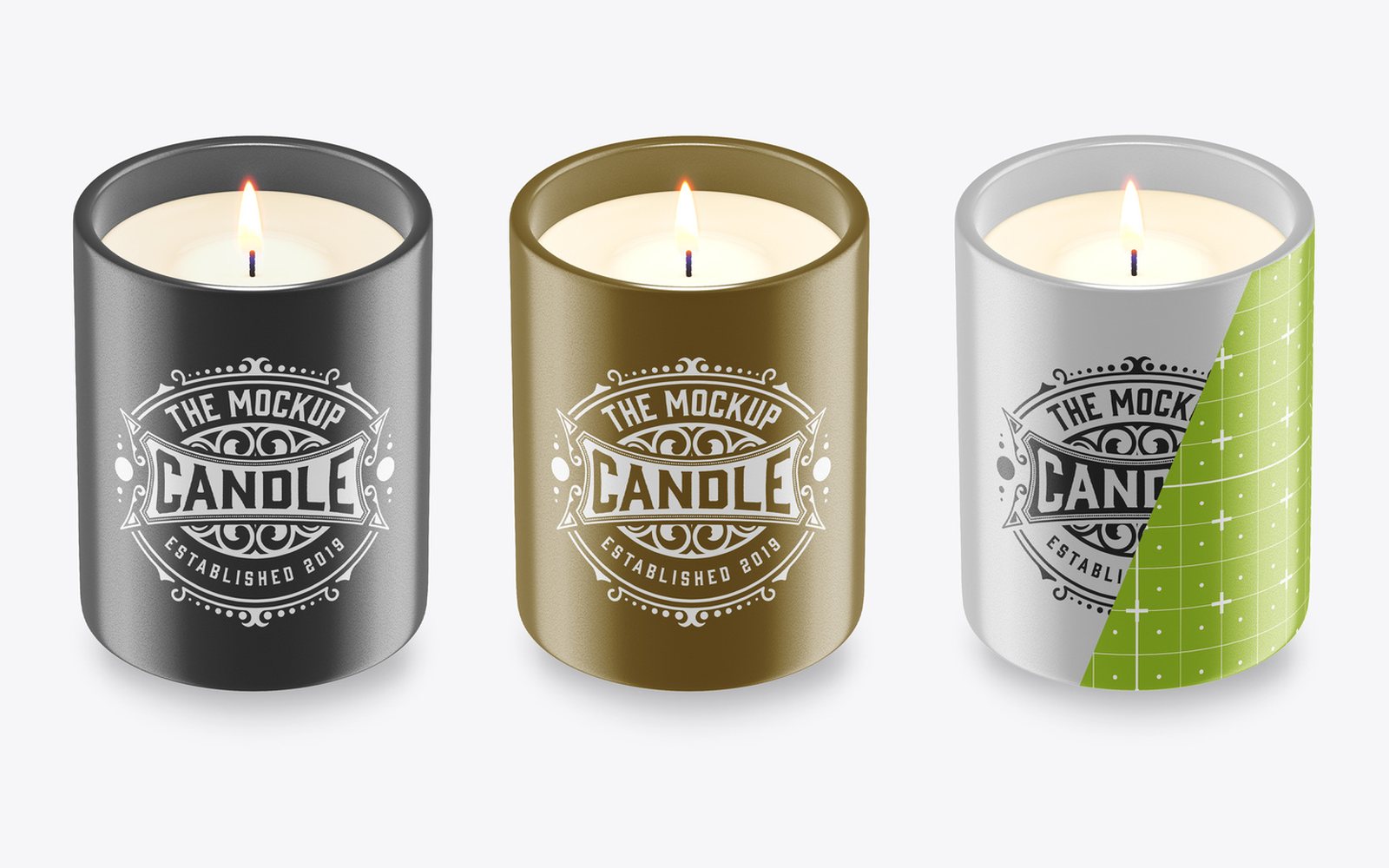
A lit candle in a glass tumbler on a plain light background, by Roverto Castillo. The previews show it in black, gold and silver, and the green grid on the silver one marks the area your label wraps around. The file is a Photoshop template (PSDT, 36 MB) at 3500 × 3500 px, RGB. Square is handy here: it drops straight into an Instagram post or a product grid without cropping. The black and gold versions are kind to white and metallic label art, less so to dark navy or forest green, so test your colours early. The sample label is for display only. Download it from Adobe Stock →
2. Candle label mockup with a transparent background (Adobe Stock)
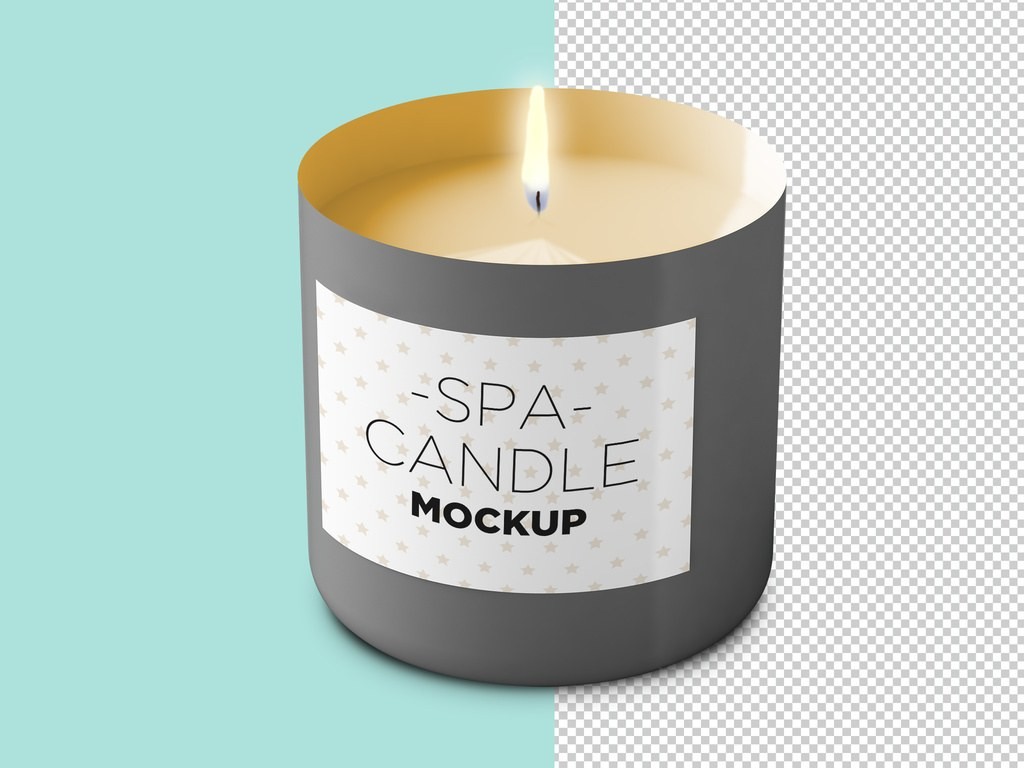
The biggest file here: 5000 × 2812 px, a 96 MB Photoshop template by McLittle Stock, listed as fully editable. It’s a grey candle vessel with a wide rectangular label, and the preview shows it half on a teal backdrop, half on a transparent checkerboard. That’s the useful part: with the background out of the way, the candle can sit on your own shop backdrop, a seasonal colour or a product page banner. Check the background layers once you open the file.
Wide labels are where most candle artwork goes wrong, by the way. Text that looks fine flat wraps around the curve and the outer letters disappear. This mockup shows that honestly. Download it from Adobe Stock →
3. Concrete-look candle with a wooden lid (Adobe Stock)
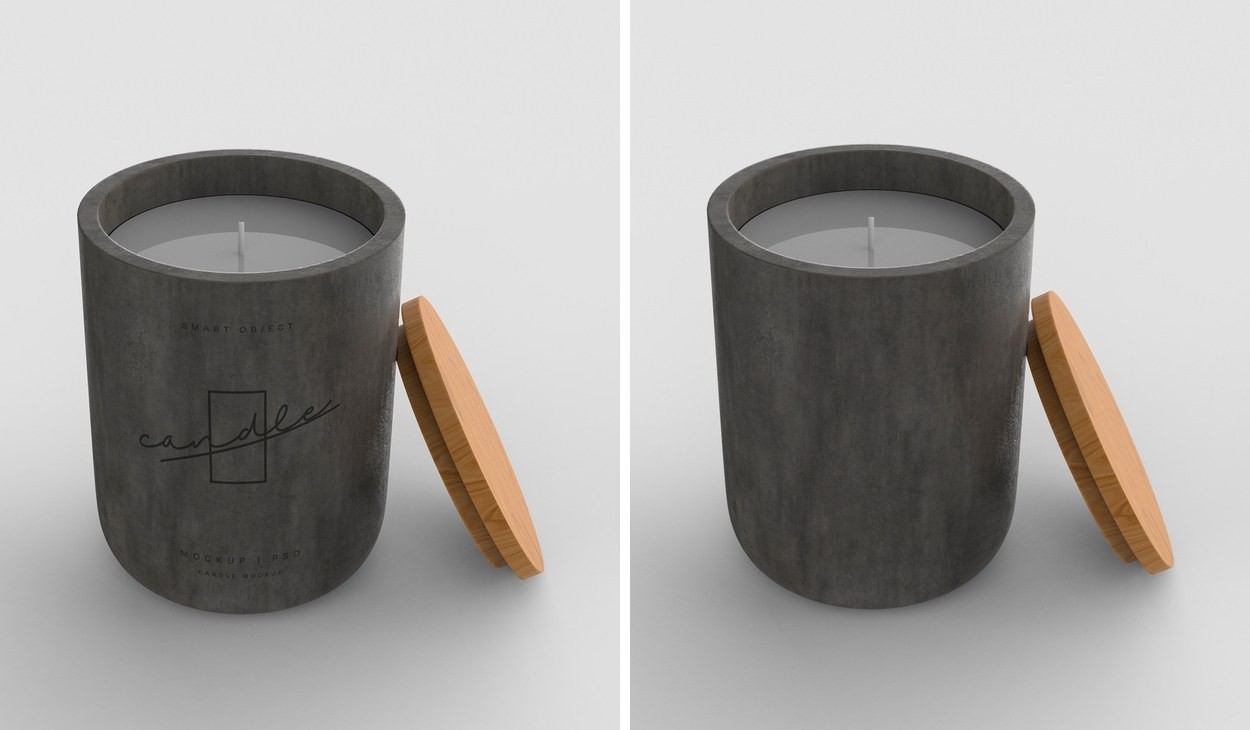
A dark, matte, concrete-look vessel with its wooden lid propped against the side, by mego-studio. 3000 × 2199 px, PSDT, 34 MB. This is the minimalist one: small logo, lots of texture, no big label. If your brand mark is a monogram or a single line of type, this scene flatters it more than any glass jar would. The sample logo is for display only. Download it from Adobe Stock →
4. Candle jar PSD with colour variations (Graphics Fuel)
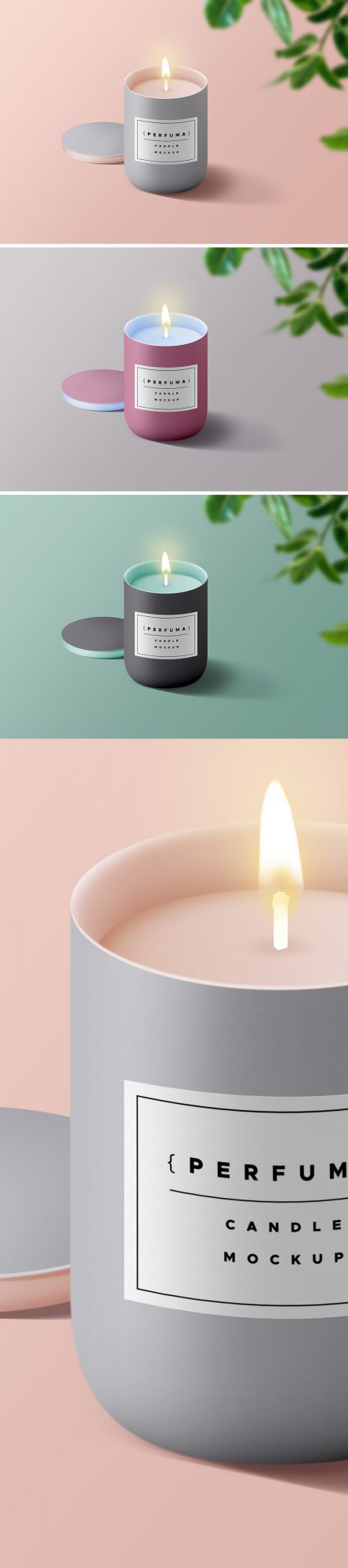
A pale jar with a front label, shot on soft pastel backgrounds. 5000 × 3500 px, one smart object for the label and four Add Color layers, 19 MB. It’s the quickest file here if you want three scent variants side by side: change the colour layer, export, repeat. Planning to use it in a product you sell? Read Graphics Fuel’s terms first. Details and download →
Candle packaging mockups with a gift box
A candle in a box is a different product. It’s the version that ends up under a tree or in a hotel welcome pack, and the box usually carries more of the brand than the jar does. Both files below are by mego-studio, 3000 × 2199 px, Photoshop templates from Adobe Stock’s free collection.
5. Two ceramic candles with an open box (Adobe Stock)
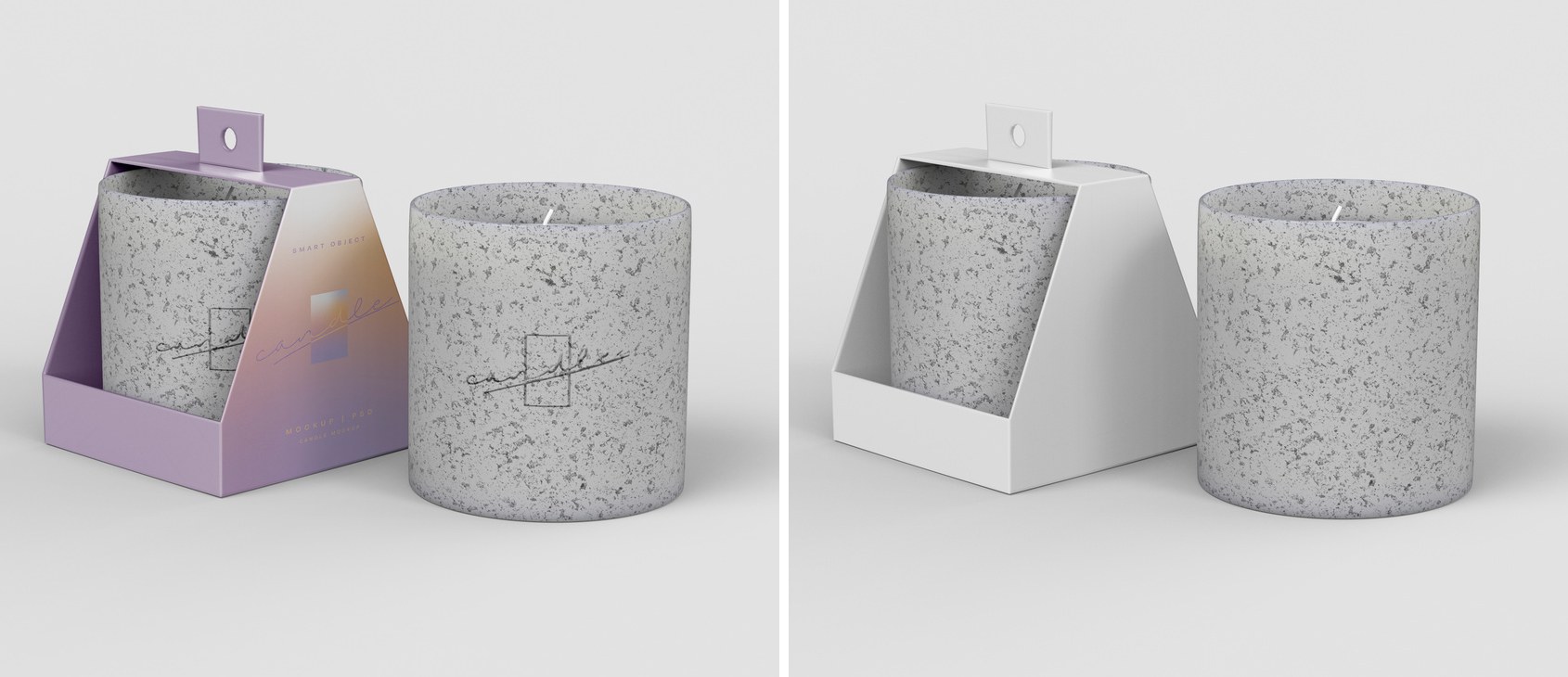
Two speckled ceramic candles, one standing free and one inside an open lilac box with a hang tab. PSDT, 39 MB. Showing the product and its packaging in one frame saves a second image on a product page, and it answers the question every gift buyer has: what does it arrive in? Download it from Adobe Stock →
6. Ceramic candle in a box (Adobe Stock)
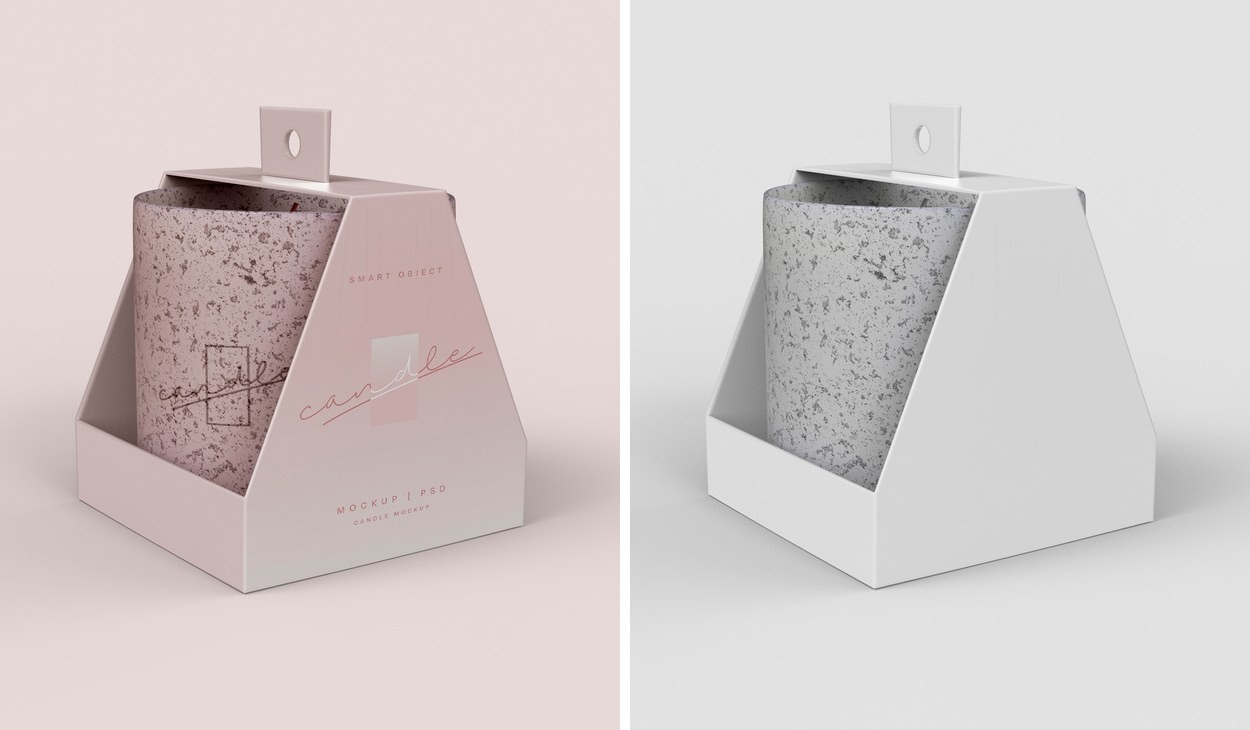
One blush-pink ceramic candle sitting in its open box, PSDT, 33 MB. Softer and warmer than #5, and the box takes up most of the frame, so this is the file to use when the box artwork matters most. Good for a bridal or self-care line. Download it from Adobe Stock →
How to put your label on a candle mockup
Open the file in Adobe Photoshop, find the smart object for the label (or the logo layer on the ceramic jars), double-click it, paste your artwork, save, close. The scene updates by itself. A few things that are specific to candles:
- Keep the key text inside the middle 60% of a wrap label. The rest curves away from the camera.
- Put the scent name in the largest type, not the brand. That’s what shoppers scan for in a grid of ten jars.
- On the two lit candles (#1 and #2), look at your label next to the warm flame before you sign off. Cool greys and pale blues can turn muddy beside that orange glow.
- For a holiday edition, change the background and the label, not the vessel. Customers recognise the jar.
Which free candle mockup should you pick?
- Square social post or product grid: #1, the glass tumbler (3500 × 3500 px).
- Label design check or a cut-out for your own backdrop: #2, the spa label tin.
- Minimal logo, premium feel: #3, concrete jar with a wooden lid.
- Several scents or colourways fast: #4, the Graphics Fuel jar.
- Gift box and packaging: #5 if you want the candle and the box together, #6 if the box is the star.
More free mockups for gift season
Selling candles as a gift set? Pair the jar with the free Christmas gift box and tag mockup, or browse all our free Christmas mockups for cards, baubles and festive scenes. Mugs go well in the same bundle: the free mug mockup collection has ceramic, enamel and Christmas scenes. For the shipping box and the rest of the range, the free packaging mockups hub has bags, boxes and pouches.
