
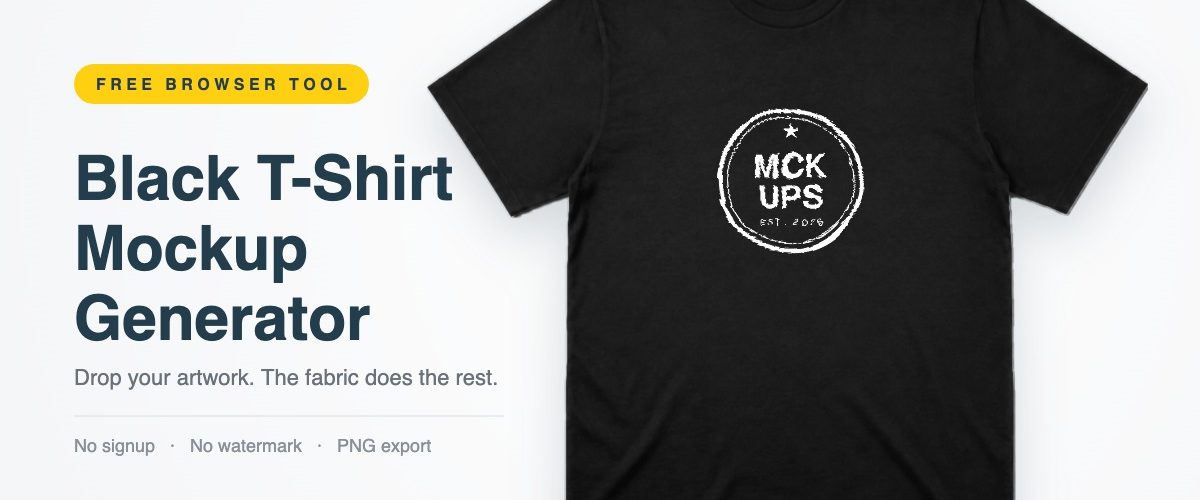
Black cotton eats detail, which is why so many apparel presentations fall flat. This generator does not draw a shirt, it uses a studio photograph of a real blank one: drop your artwork on the chest and the fabric’s own folds push it around, then the same light that fell on the cotton lights the print. Front or back, regular or oversized, crew or V-neck. Free, no signup, nothing uploaded anywhere.
- No signup
- No watermark
- Nothing gets uploaded
- Real photo base
- Front and back
Everything renders locally, so there is no queue and no upload limit. Leave the artwork empty and you get a clean blank black tee, which is often what you actually came for.
Launching the shirt online? Mock up the announcement too: our free X post mockup maker turns the launch tweet into a PNG you can put next to the tee in the same deck.
How to use the black T-shirt mockup generator
- Drop in your design. Click the shirt or drag a file onto the preview. Use a PNG with a transparent background: a JPG brings a white box with it, and on a black tee that box is impossible to miss.
- Pick the garment. Front or back, crew or V-neck, regular or oversized. These are separate photographs of separate blanks, not one shape being stretched, so the oversized cut really does drop the shoulder and square off the hem.
- Place the print. Size and vertical position. Chest prints usually sit right around 25 to 40 percent down; push it lower for a big front hit.
- Set how much fabric shows through, then export. At zero the design sits flat, which is what a printer wants to see. Around half is where it starts looking like ink on cotton. High up it reads worn.
What you can edit
- Front and back view
- Crew neck or V-neck
- Regular or oversized fit
- Five shades, jet through washed to faded
- Print size and placement
- How hard the fabric comes through
- Six backgrounds plus transparent
- PNG export at 1x or 2x
A free black tee mockup template, without opening Photoshop
Most free black T-shirt mockup PSD files ask for a lot before they give anything back: download a zip, unpack it, open a heavy layered file, hunt for the smart object, paste, save, export. Worth it for a hero shot. Overkill when you just want to see whether a logo reads at chest size. This is a template in the useful sense of the word: fixed garment, replaceable artwork, the same result every time, which matters when two people on a team need mockups that match. Print-on-demand sellers use it to check a design before paying for a sample, labels put a front and back pair side by side in a lookbook, and plenty of people just wanted a blank black tee on a clean background without a watermark stamped across the chest.
Working with apparel more broadly? The free T-shirt mockup collection covers hanging, folded and on-model shots as layered PSDs, and the oversized T-shirt mockup is the one to grab when you need that boxy fit photographed on a person rather than laid flat.
Questions people ask
Can I use the exports commercially?
Yes. Product listings, client decks, social posts, print. No account, no credit, no watermark. Your artwork stays yours, and the responsibility for having the rights to it stays yours too.
Where does my file go when I upload it?
Nowhere. The browser reads it locally and draws it to a canvas on your machine. Pull your network cable out and the tool still works. Close the tab and the file is gone.
Why does my design look wrong on the shirt?
Almost always a JPG. JPG has no transparency, so it carries a white rectangle with it, which is glaring on black. Export a PNG with a transparent background instead.
Can I put the print on the back?
Yes, switch the view to Back and place your artwork as usual. The back is a separate photograph with its own shallow neckline and neck tape, so a back hit sits where it would on a real blank.
What resolution should my artwork be?
At least 1200 px on the long edge. The print area runs to about 570 px at 1x and 1140 at 2x, so a 1200 px file has headroom either way. Small files look soft and the fold shading will not hide it.
Free black T-shirt mockup PSD files
This one gives you a flat lay on a clean backdrop, and only that. When you need the shirt hanging on a wall, worn by a model, or lit some other way, a layered file is still the answer. These are the black tee PSDs worth keeping on your drive:
- Black T-shirt mockup hanging on a wall — moody, editorial feel
- Black T-shirt mockup on a female model — when the fit needs a body in it
- Editable black T-shirt mockup PSD — the straightforward smart-object workhorse
- Clean front-view black T-shirt mockup — closest photographic match to this tool
- Black T-shirt mockup with colourful accents — brighter, product-page look
- Oversized black T-shirt mockup on a model — boxy streetwear fit, shot on a person
- Black T-shirt back design mockup — pairs with the Back view above
- T-shirt and polo shirt mockup PSD — useful when a range includes both
More free mockups
- Free T-shirt mockupsThe full apparel library: hanging, folded, on-model, front and back.
- Instagram profile mockup generatorOur other browser tool. Build a profile grid and export a PNG the same way.
- T-shirt video mockup generatorsWhen a still will not sell the drop and you need motion.
- All apparel mockupsHoodies, polos, caps, tote bags and everything else wearable.
The garment in this tool is a plain unbranded blank, photographed for Mckups and carrying no logos, labels or brand marks. It is not affiliated with or endorsed by any apparel manufacturer. Exports are yours to use, including commercially. You are responsible for holding the rights to the artwork you place on it.
